Schedule Visualizer
Instructions: How to format input boxes
Input Box Structure
Each input box (group) consists of two parts:
- Header field (optional): A text input at the top for labeling the group
- Use this to name your team (e.g., "U12 Boys", "U14 Girls", "Senior Team")
- If left empty, the group will be labeled as "Group 1", "Group 2", etc.
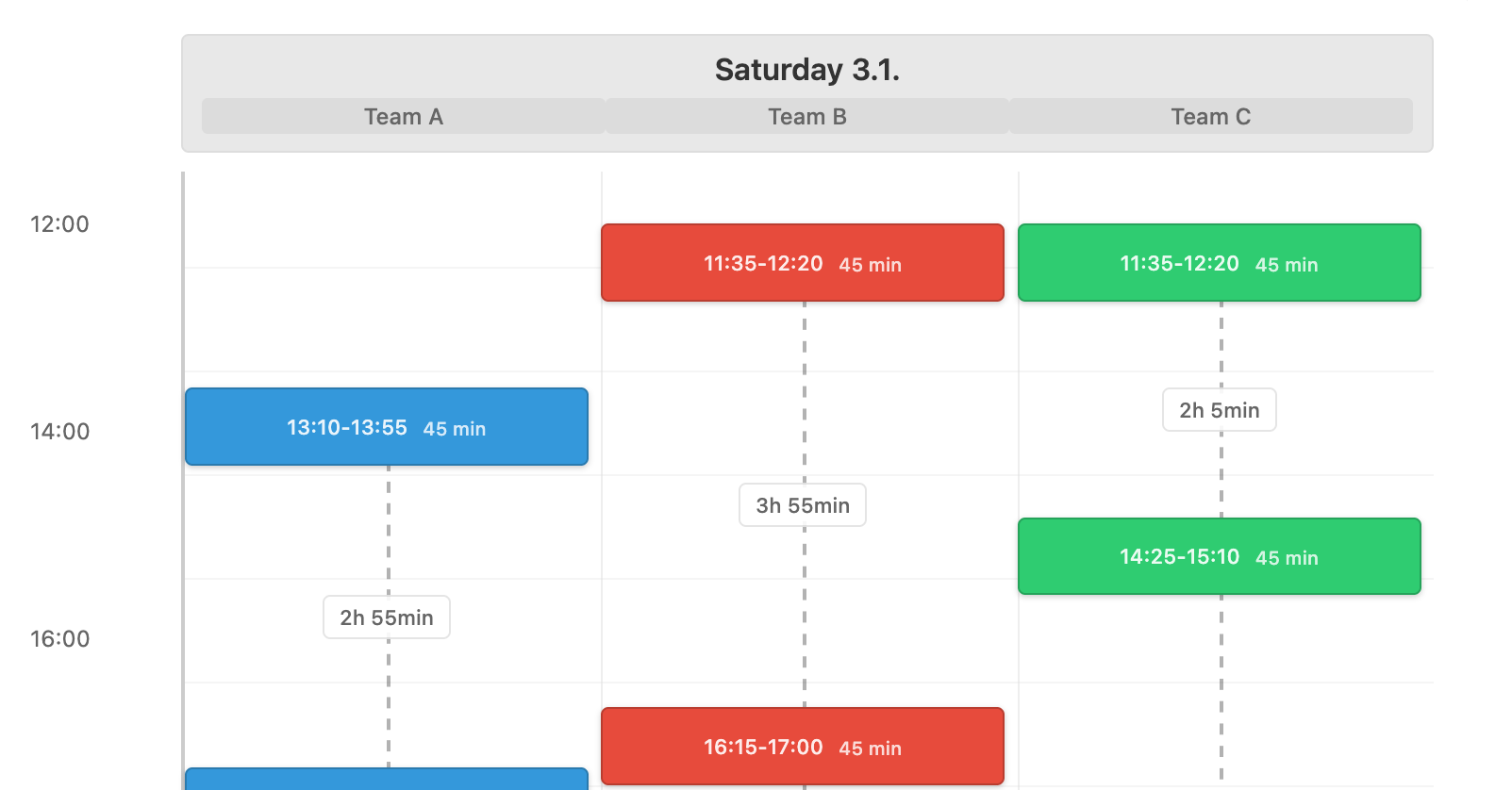
- The header appears in the visualization as a sub-label under the day name
- Schedule textarea: The main input area for match times
Schedule Format
The schedule textarea accepts match times in the format HH:MM-HH:MM where:
HH:MMis the start time (24-hour format)-separates start and end timesHH:MMis the end time (24-hour format)
Examples:
09:10-10:20- Match from 9:10 AM to 10:20 AM13:50-14:40- Match from 1:50 PM to 2:40 PM16:00-16:55- Match from 4:00 PM to 4:55 PM
Day Names (Optional)
You can include day names in the textarea to organize matches by day:
- Write the day name on its own line (e.g., "Saturday", "Sunday")
- All matches listed after a day name belong to that day
- Empty lines are ignored
- You can have multiple day names in a single input box
Example with day names:
Saturday
09:10-10:20
13:50-14:40
16:00-16:55

Sunday
08:15-09:05
13:00-15:11
Example without day names (all matches on one day):
09:10-10:20
13:50-14:40
16:00-16:55
Multiple Teams
- Add one input box per team using the "Add Group" button
- Each team gets its own color in the visualization
- Teams can have different numbers of matches
- Teams can have matches on different days
Tips
- Copy-paste friendly: You can copy match schedules from tournament websites or documents and paste them directly
- Flexible formatting: Empty lines don't matter, so you can format for readability
- Real-time updates: The visualization updates automatically as you type
- Share easily: Use "Generate Link" to create a shareable URL with all your schedules